Client
Arjan Technologies
Industry
Marketing Automation
Country
Kingdom of Saudi Arabia
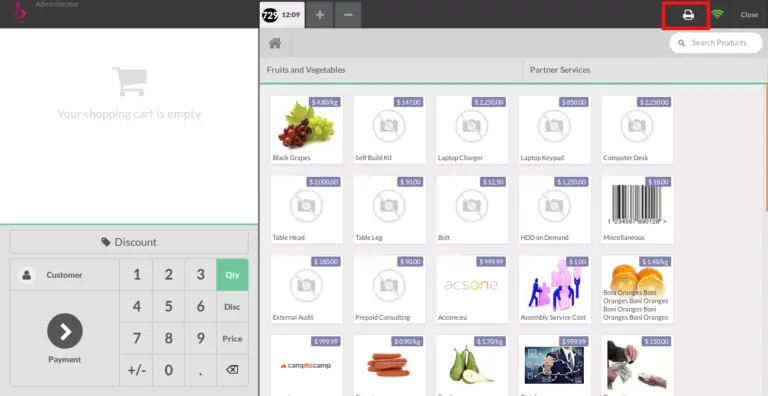
If your point of sale module in Odoo is configured with POSBox, POS Screen would show an extra print option on top of the screen, which prints the sales summary of the POS Session. The print would directly go to the printer via POSBoxEven Though the sales summary report is useful, users won’t always prefer to get it printed.
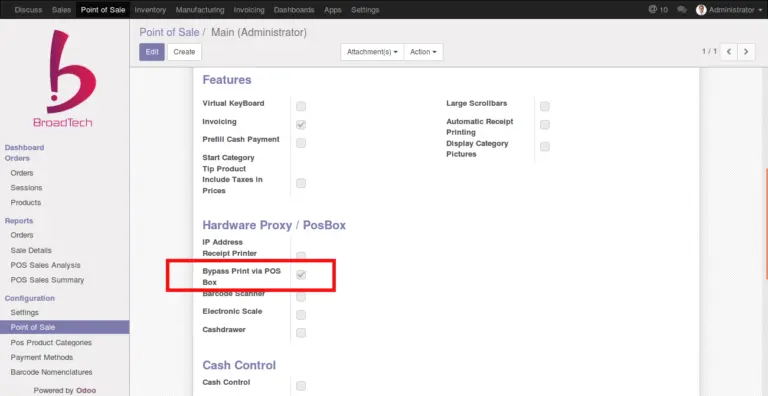
The goal is achieved by introducing a new checkbox in POS configuration area – “Bypass Print Via POS Box”
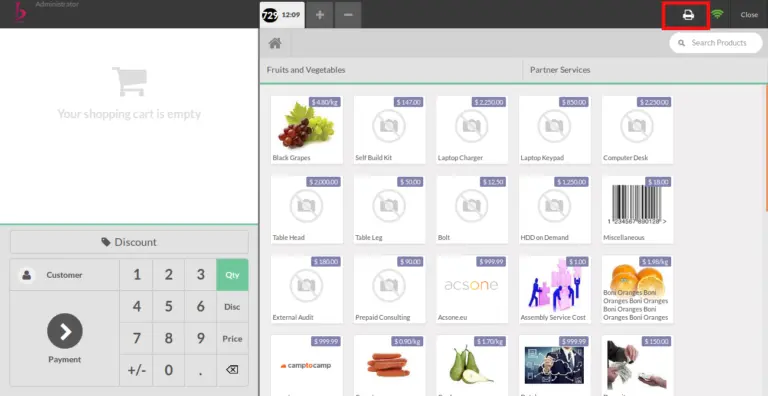
Enabling the bypass option would replace the existing Print Icon with a new custom Print Button.
The print action would return the “Sales Details” report on screen as shown below.
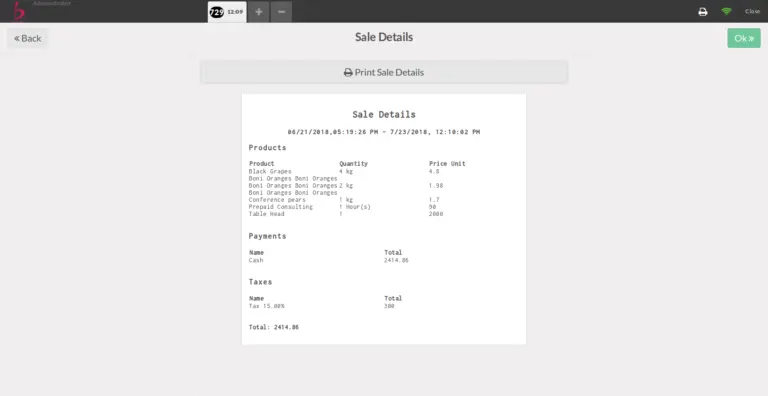
The POS Box bypass feature can be enabled and disabled based on the need of the hour. Disabling the feature would sent the report directly to the printer via POSBox.
Please refer link to the module in Odoo Apps.
https://apps.odoo.com/apps/modules/10.0/bt_pos_posbox_bypass/
Official Member Of:







All Contents © Copyright. BroadTech IT Solutions 2026. All Rights Reserved.