
Target :
- Configure Salary Rules for payroll accounting.
- Create payable entries while confirming payslip.
- Register payment (as vendor payment) via Bank
- Reconcile the entries using payment matching feature.
Configure Accounts, Vendors and Payment Method
1 ) A payable account corresponding to salary, in the chart of accounts – “Salaries Payable”
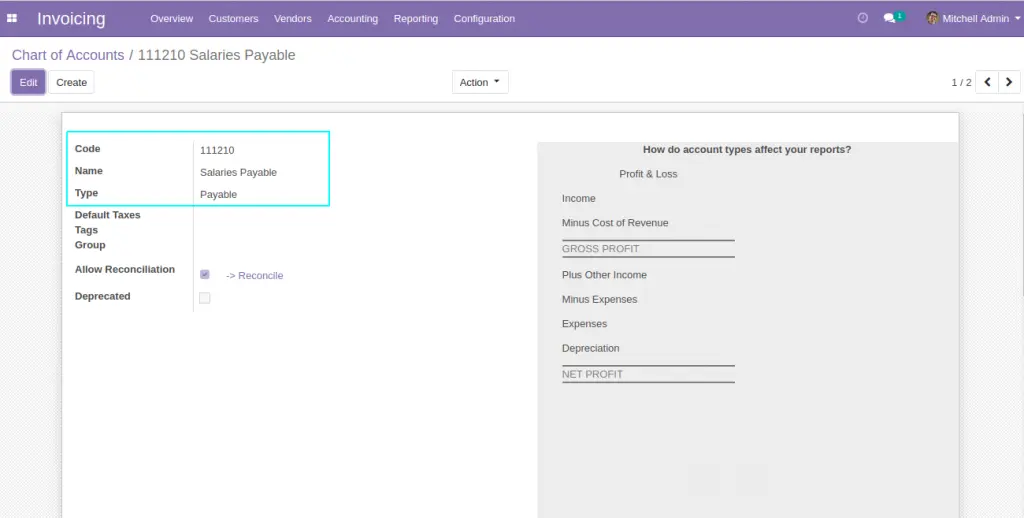
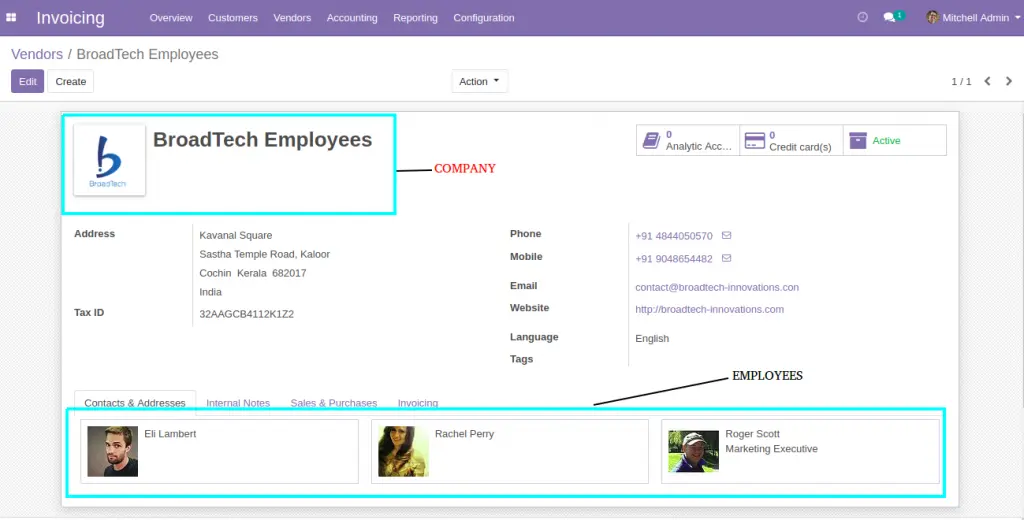
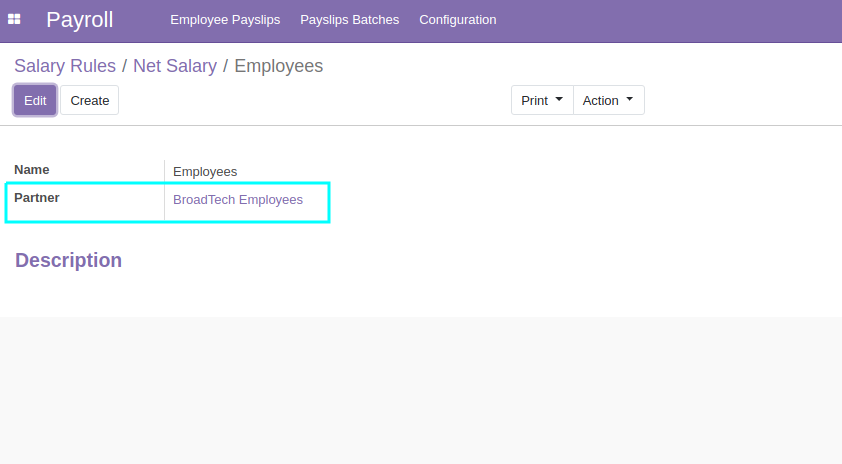
2) A common vendor(company) corresponding to all Employees – “BroadTech Employees” . There shall be vendor records(individual/contact) corresponding to the employees as well .
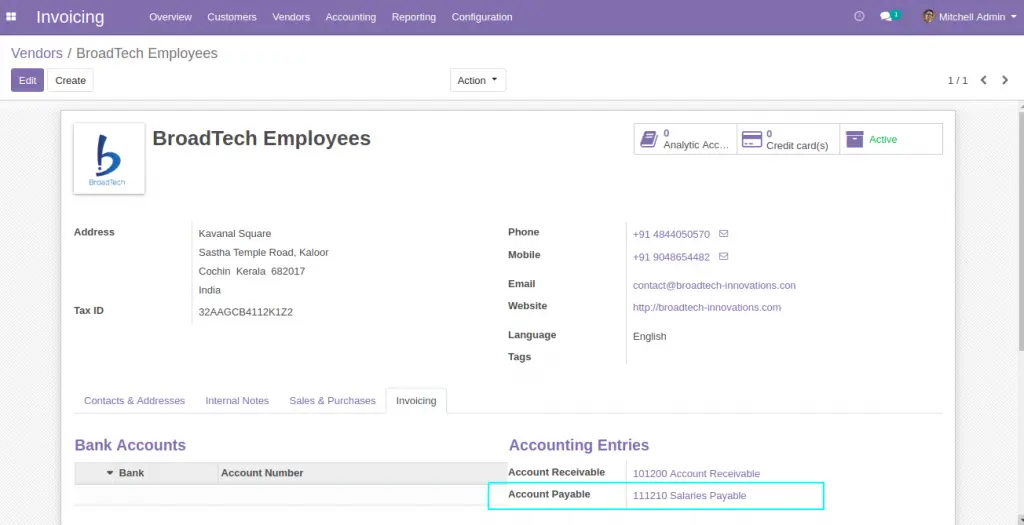
3) The payable account of the company “BroadTech Employees” shall be “Salaries Payable” . Contacts (Employees) shall not have separate payable accounts .
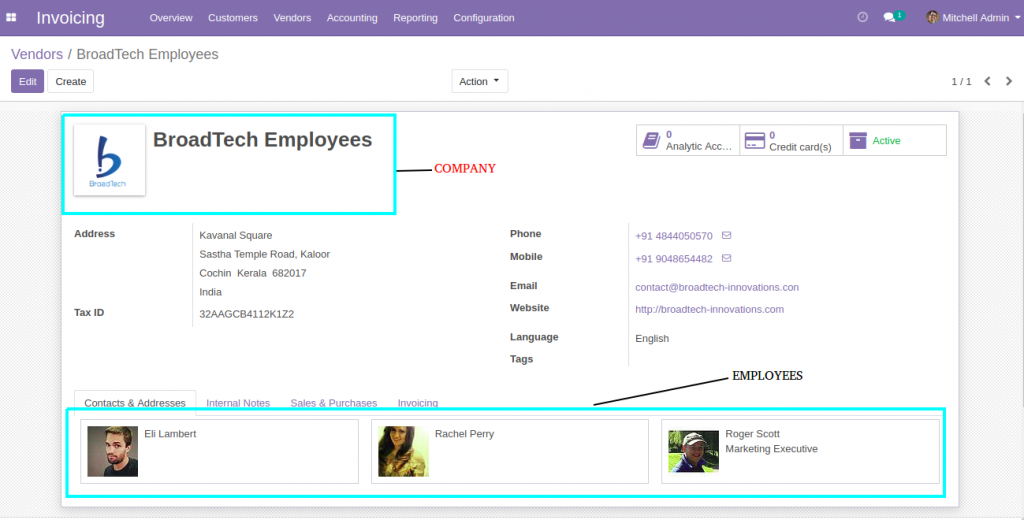
4) All employees should have separate vendor(individual) records, and the company of each employee shall be “BroadTech Employees”
5 ) Payment method shall be configured to use in vendor payments 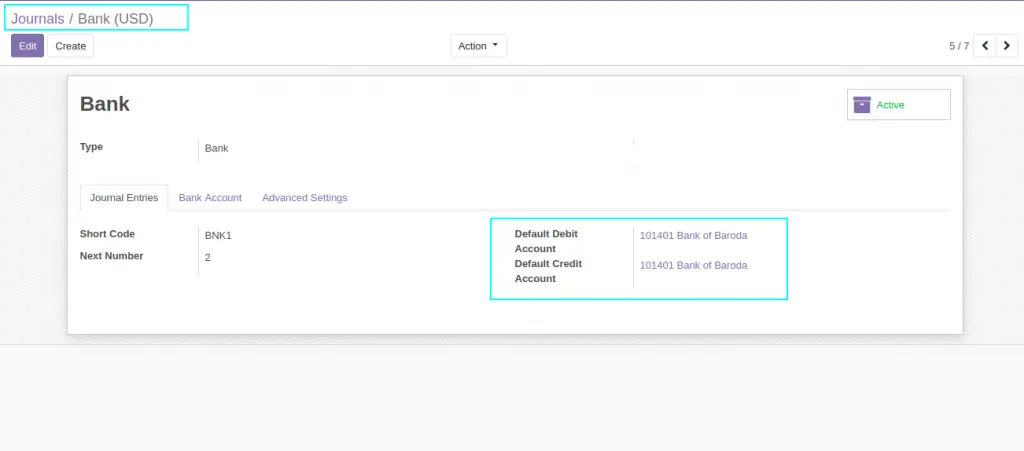
Configure Salary Rules with accounts
1 ) Configure Salary rules with proper debit and credit
accounts(Relevant rules only)
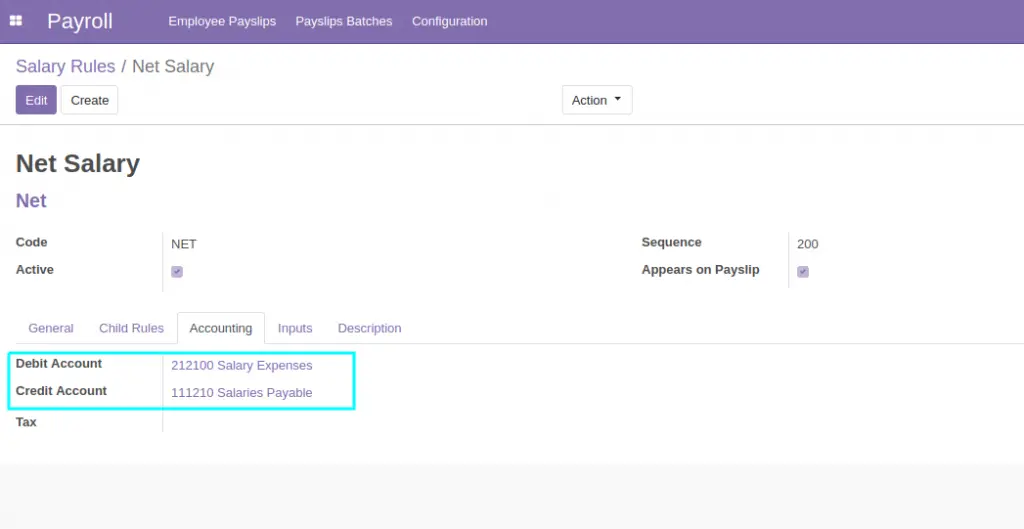
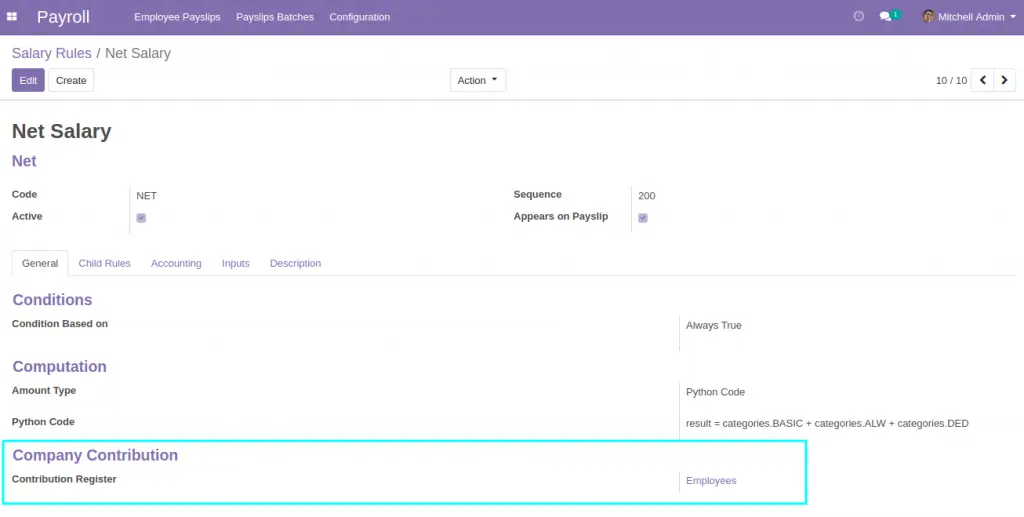
2 ) Configure Salary Rules with Proper Contribution Register
3) Make Sure that the correct Partner/Vendor is configured in the Contribution Register
Configure Salary Structure and Contracts
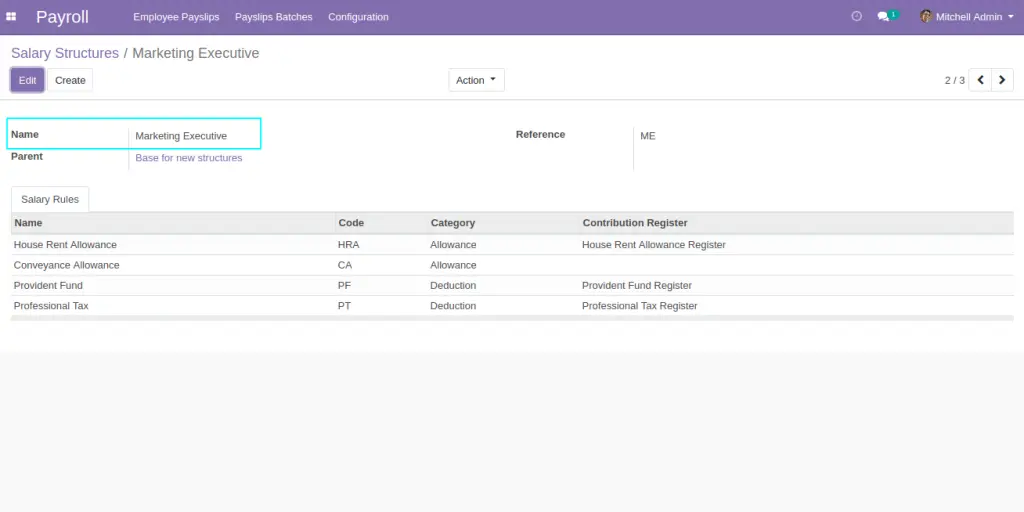
1 ) Salary Structure is configured with selected rules
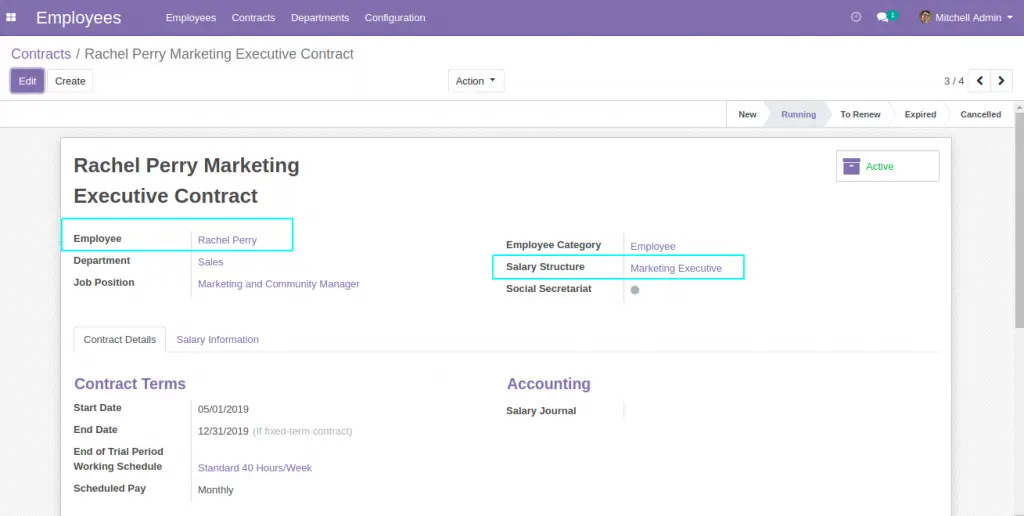
2 ) Contract is created for each employee
Generate Payslips and create accounting entries
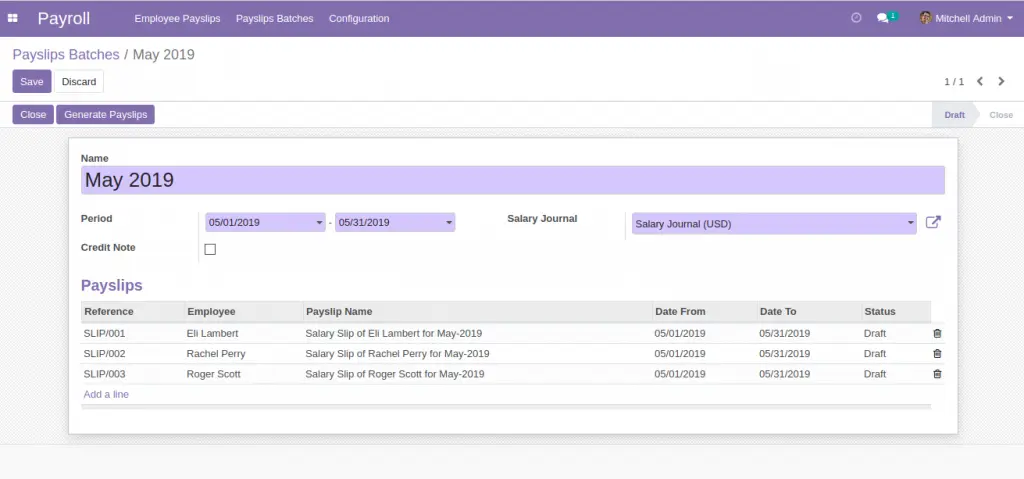
1 ) Create Payslip Batches
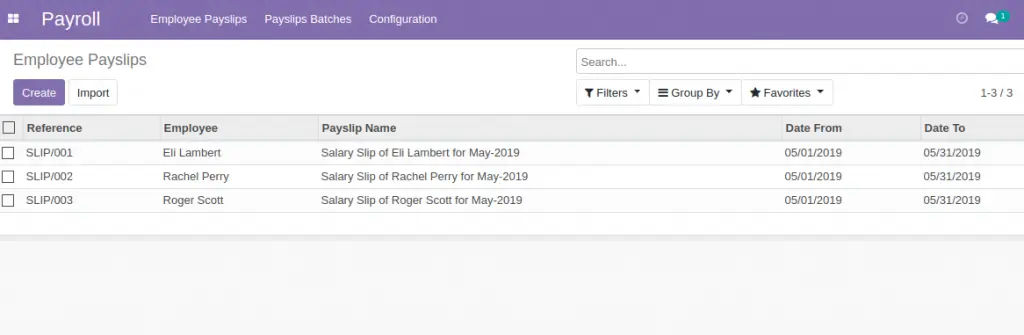
2) Open Each Payslips and confirm one by one to create accounting
entries
3) Payable entry is expected to be created for Net Salary as per the
salary rule configuration
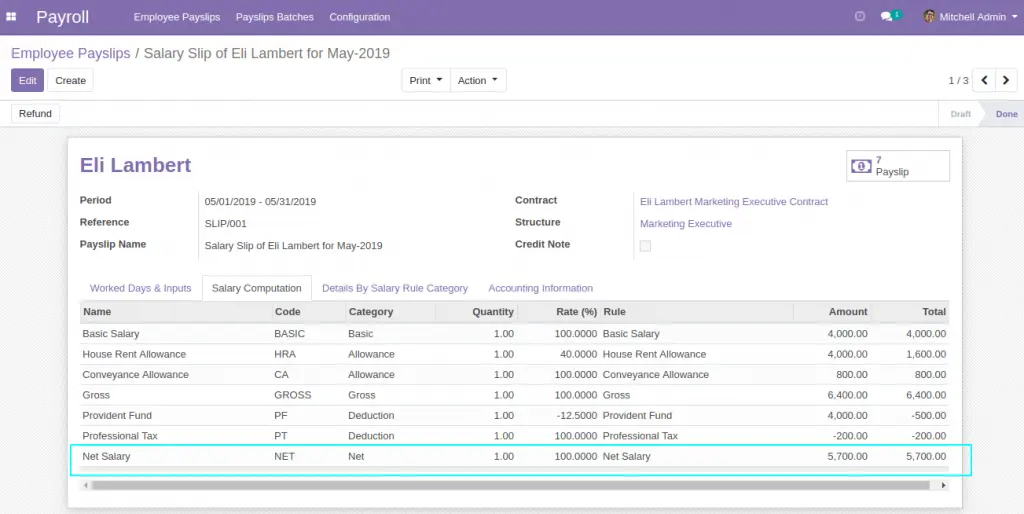
4 ) Accounting Entry can be seen in the “Accounting Information Tab”
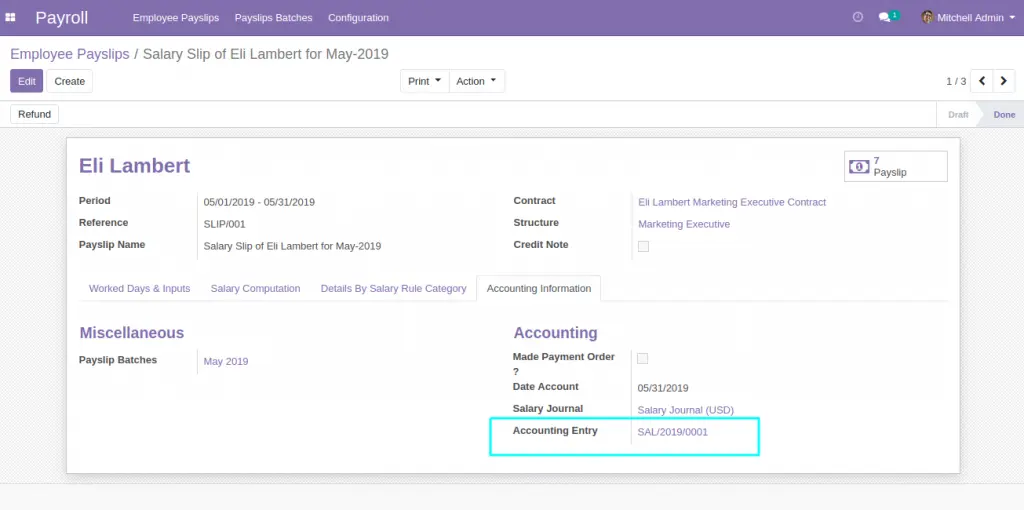
5 ) The accounting entry created would be as follows
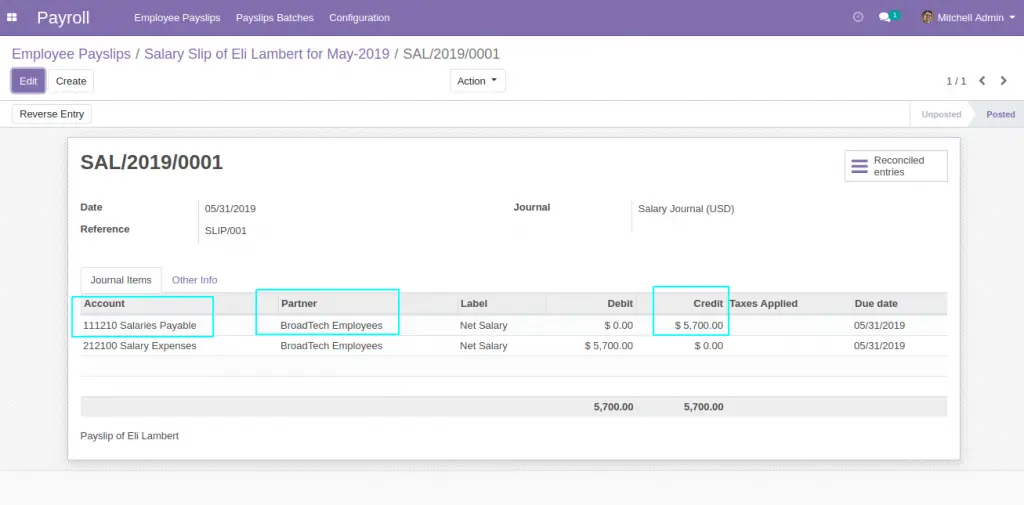
- Debit “Salaries Expense” : Each journal item should have BroadTech Employee as partner
- Credit “ Salaries Payable” : Each journal item should have BroadTech Employee as partner
6 ) Since all the employees in our example have same net salary. The total payable amount shall be 5700*3 = 17100
Register Salary Payment and Reconcile Payable Entries
1 ) Use the vendor payment option to register the salary payment .
Choose “BroadTech Employees” as Vendor and “Bank of Baroda” as payment
method. Payment amount shall be the whole outstanding salary
payable(Latest Month total, if there are no pending salaries).
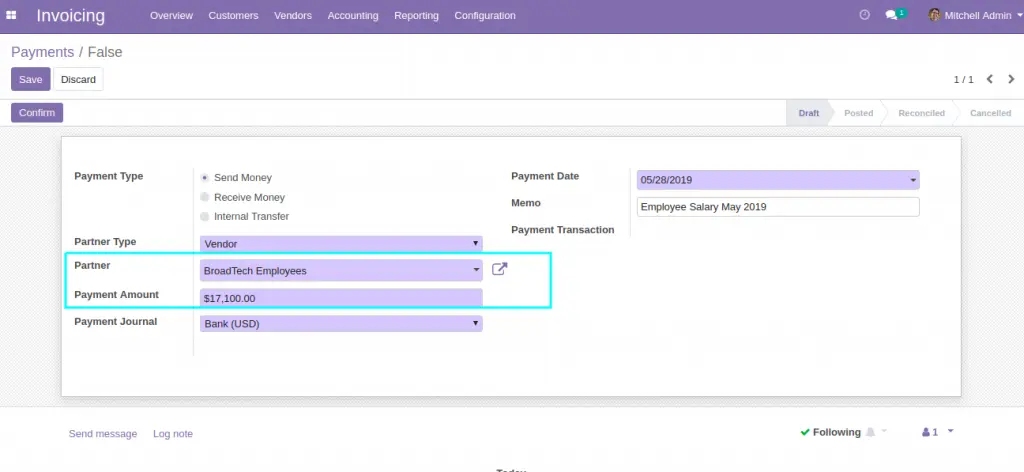
2 ) Once the payment is validated payment reference and Payment Matching appear.
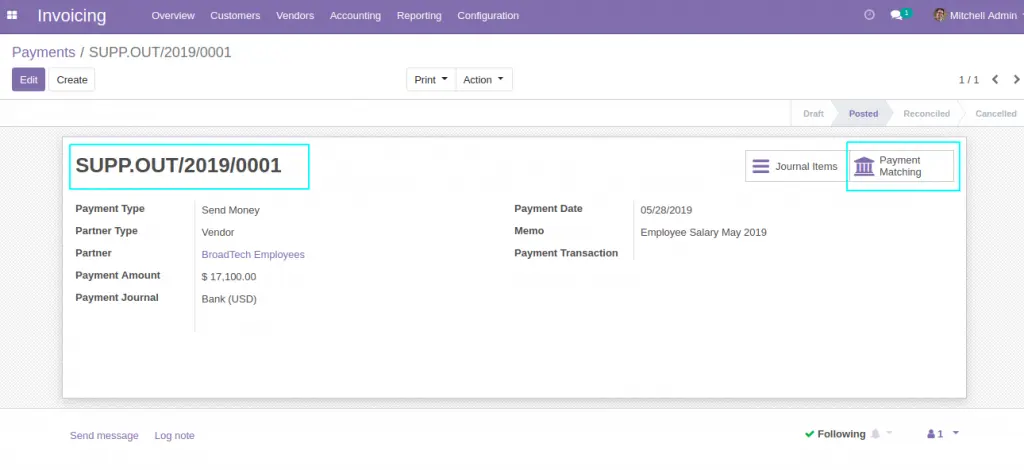
3) Payment Matching option would lead to the reconciliation window.
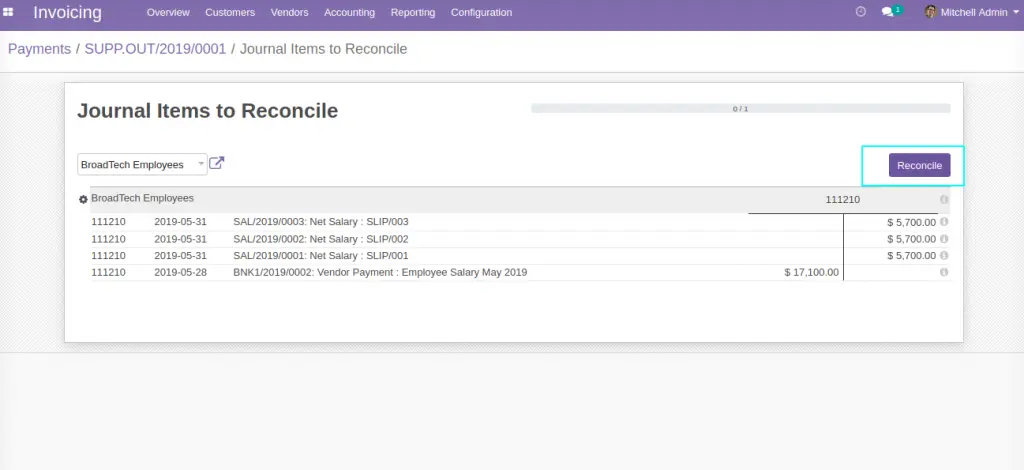
We should be able to reconcile the journal items created against each
employee during payroll confirmation, with the payment made now.
4 ) Clicking on the journal items would pick each item for
reconciliation. Once the matching items (debit and credit side) are got
selected, “Reconcile” button would appear automatically
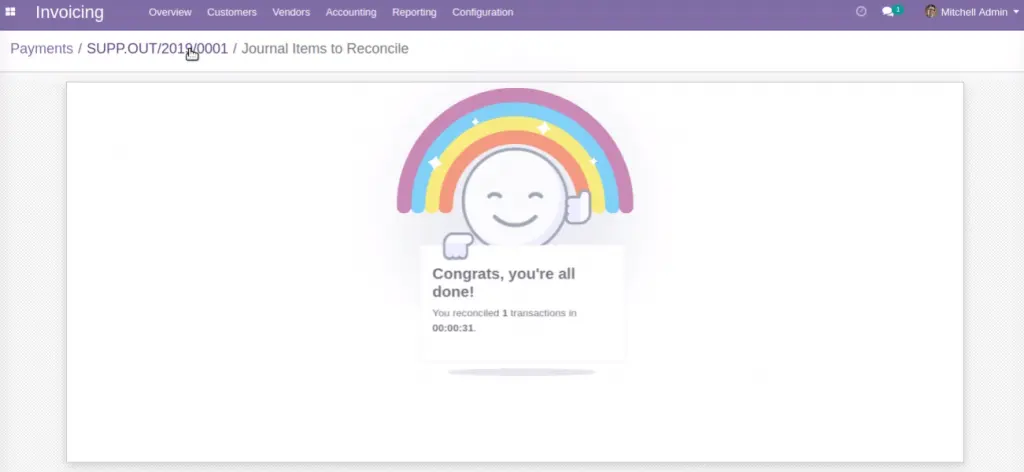
5 ) Successful “Reconcile” action would return a message screen
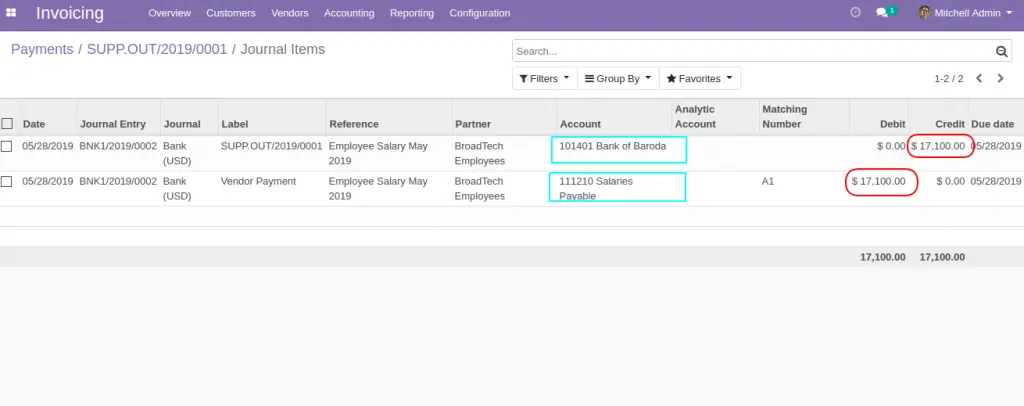
6 ) The posted journal entry would show the debit and credit side as follows
- “Salaries Payable” – Debited
- “Bank of Baroda” – Credited.
Following YouTube video explains the process in detail.
Official Member Of:







All Contents © Copyright. BroadTech IT Solutions 2026. All Rights Reserved.