Client
Arjan Technologies
Industry
Marketing Automation
Country
Kingdom of Saudi Arabia
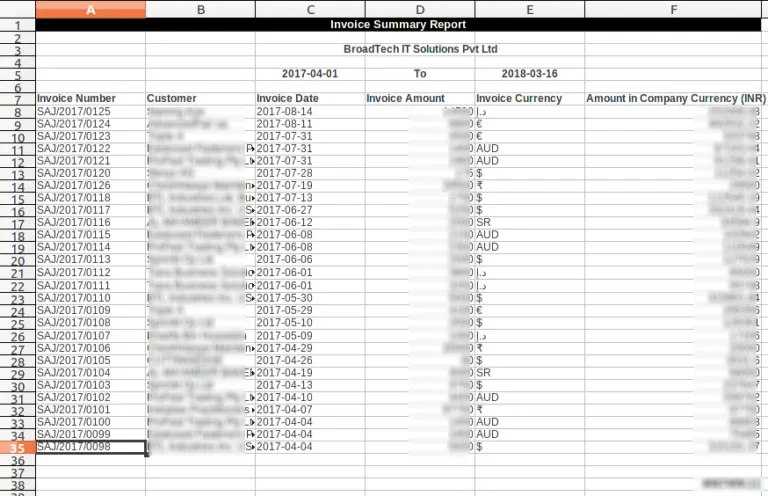
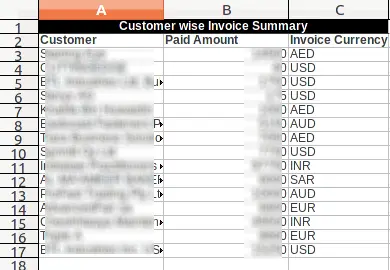
While the first sheet of the report provides details of each invoice, the second sheet is customer vise summary of the invoices, which means the total amount invoiced to a customer during the selected period.
In a multi currency system, if the same customer is invoiced in different currencies, the summary shows those details separately.
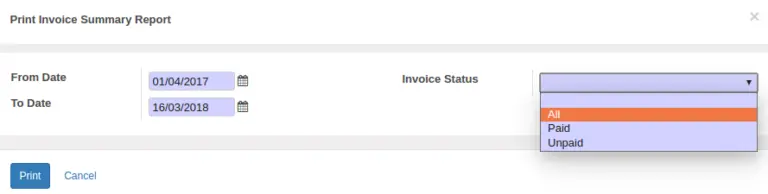
The report generation window allows users to specify the time period (From and To dates) of invoice generation. It also allows to apply the Invoice status as a filter. Whether we need all invoice during the selected period or paid invoices only or unpaid invoices only.
The “From Date” is defaulted to the opening date of the financial year, while the “To Date” would be current date.
Please refer link to the module in Odoo Apps https://apps.odoo.com/apps/modules/11.0/bt_invoice_summary/
Official Member Of:







All Contents © Copyright. BroadTech IT Solutions 2026. All Rights Reserved.