Product and Category Configuration
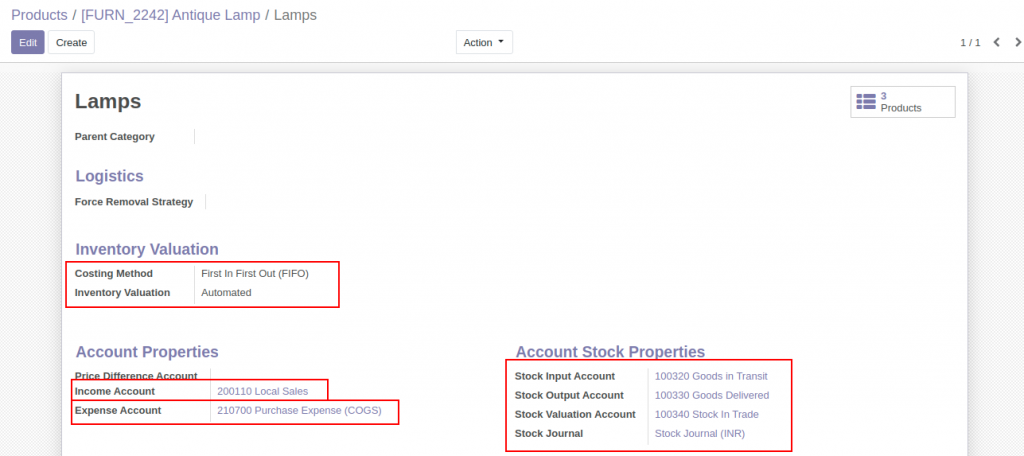
Configure Odoo Product Category with necessary information. Automated Inventory Valuation is mandatory for stock accounting moves creation during receipts and delivery of the products. Stock Input, Stock Output and Stock Valuation accounts are crucial here. The Expense account is supposed to be the COGS account.
Purchase Process
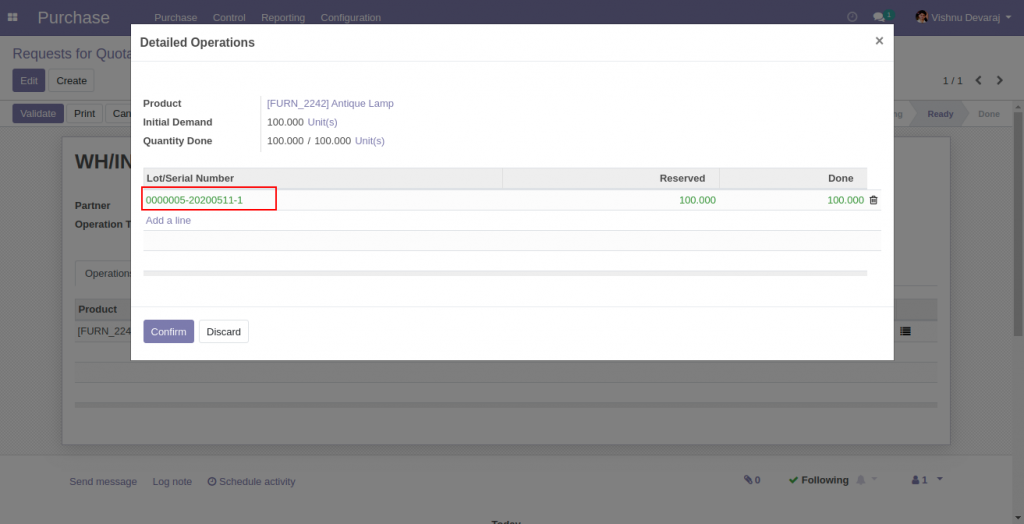
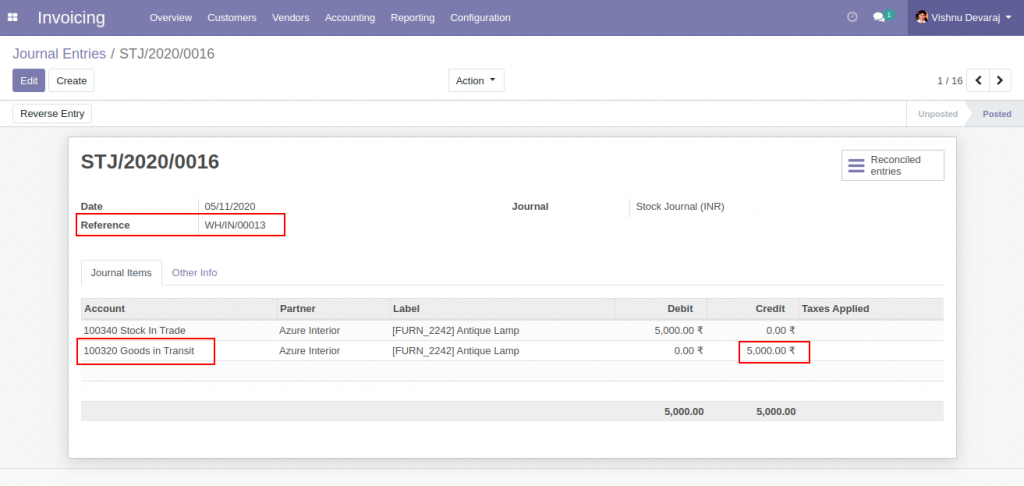
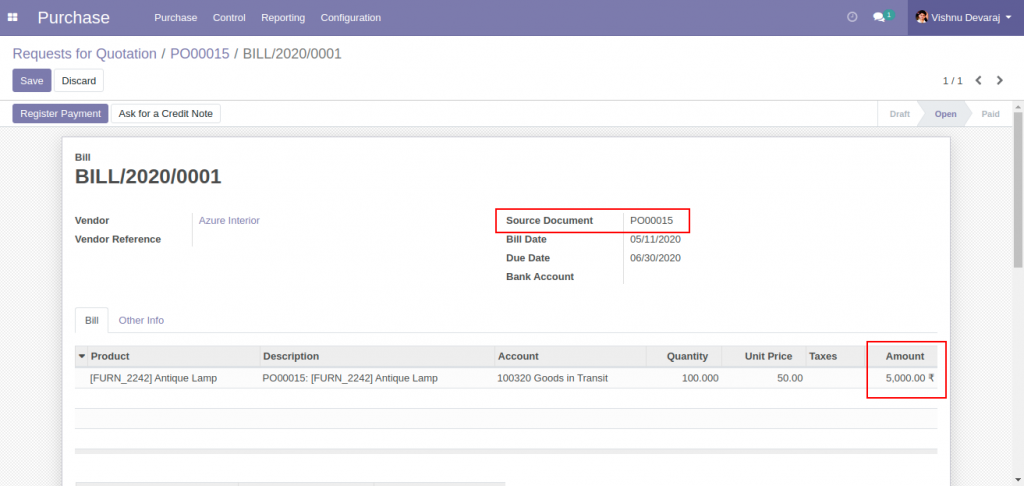
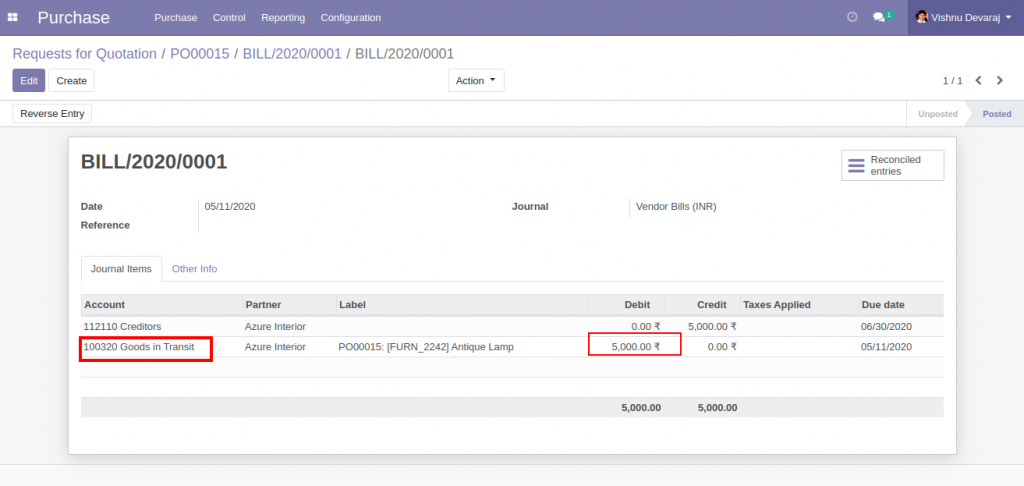
First Round of Sales Process
A sales order is created to sell 50 units of the product at a unit price of 80
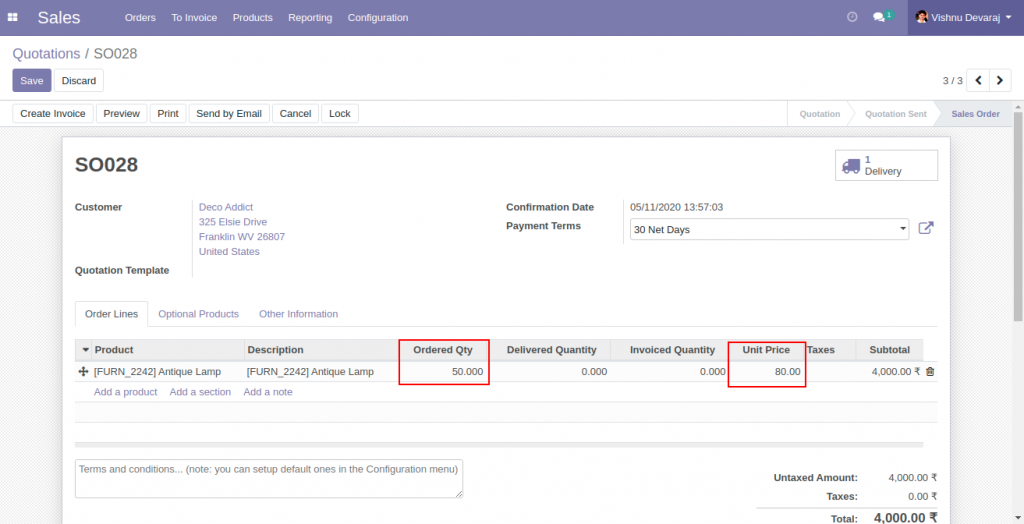
50 Units are delivered from stock. From the lot into which 100 units were received.
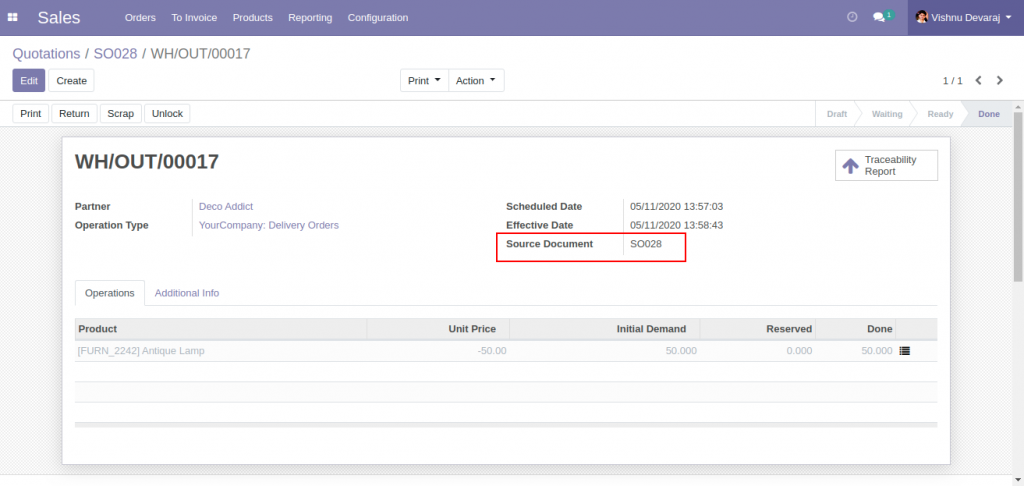
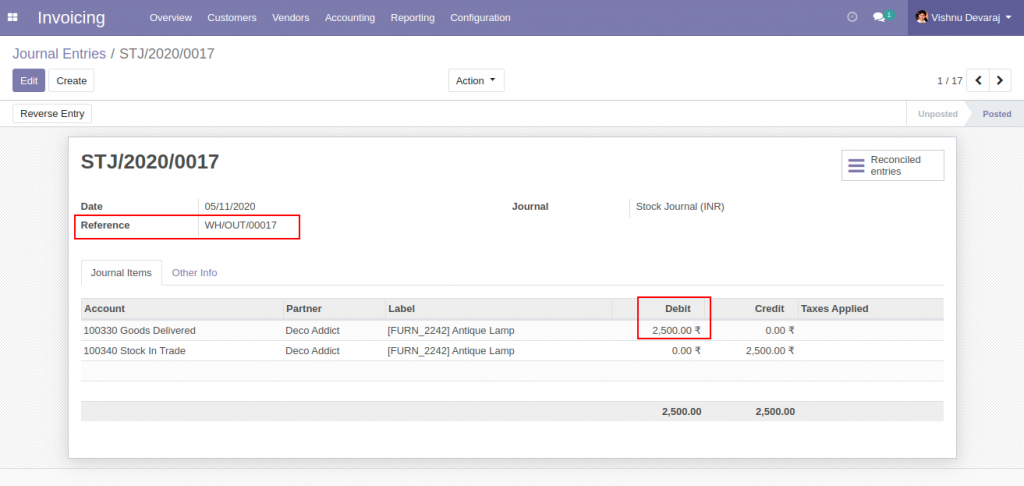
Stock Journal Entries ( Stock Account moves ) are created according to the inventory cost of the products delivered. The inventory cost of a single unit of the product is 50, based on the only one receipt of 100 units at a cost of unit price 50. Here, the cost associated with sales is 2500 (50*50), which is going to be the cost of goods sold.
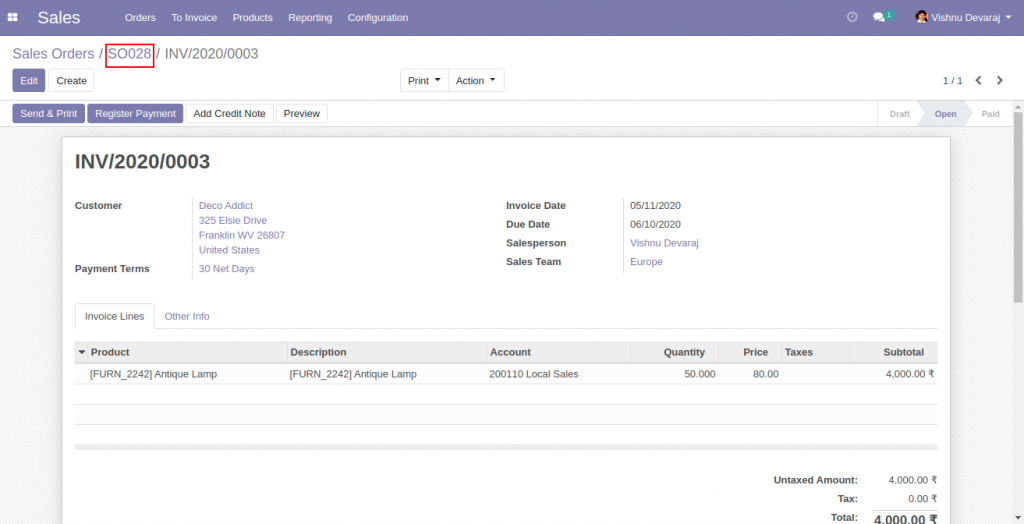
Sales Invoice is generated and validated. 4000 is the Invoice total (no taxes). 50 units invoiced at a sales price of 80.
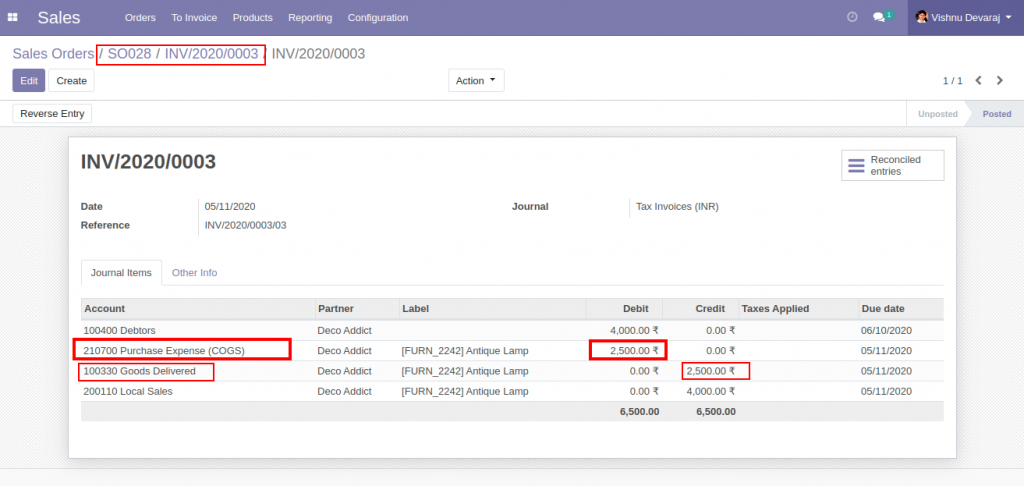
The account move associated with the invoice explains
- Income Account (Local Sales) is credited with sales value of 4,000
- Receivable Account ( Debtors ) is debited with sales value of 4,000
- Expense Account ( Purchase expense (COGS) ) is debited with Inventory value – 2500
- The Asset Account ( Goods Delivered ) is credited with Inventory Value – 2500
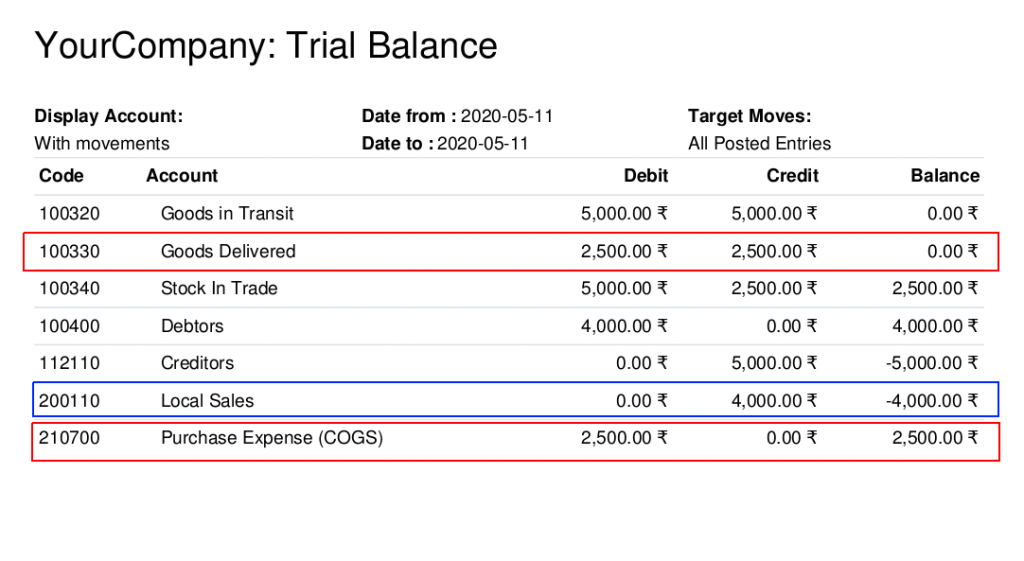
The Trial Balance report shows details of all transactions.
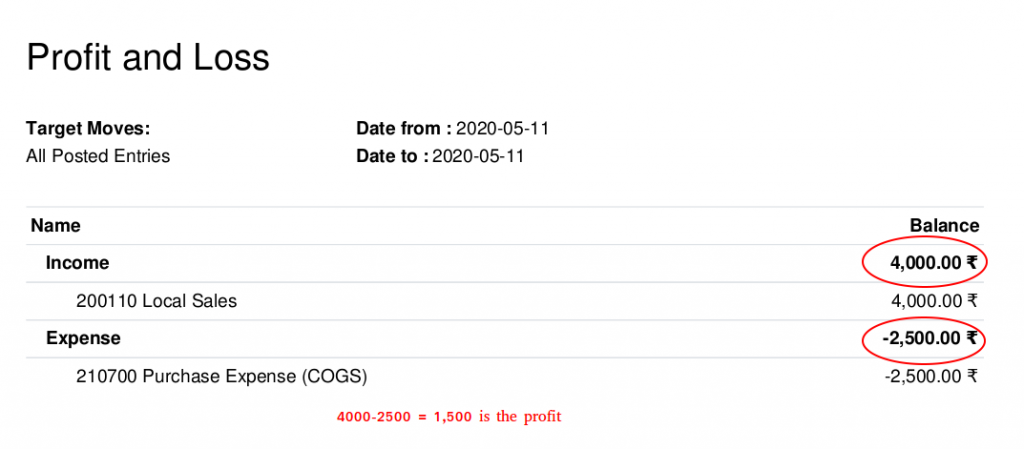
Profit and Loss report shows how COGS can be used in Profit calculation.
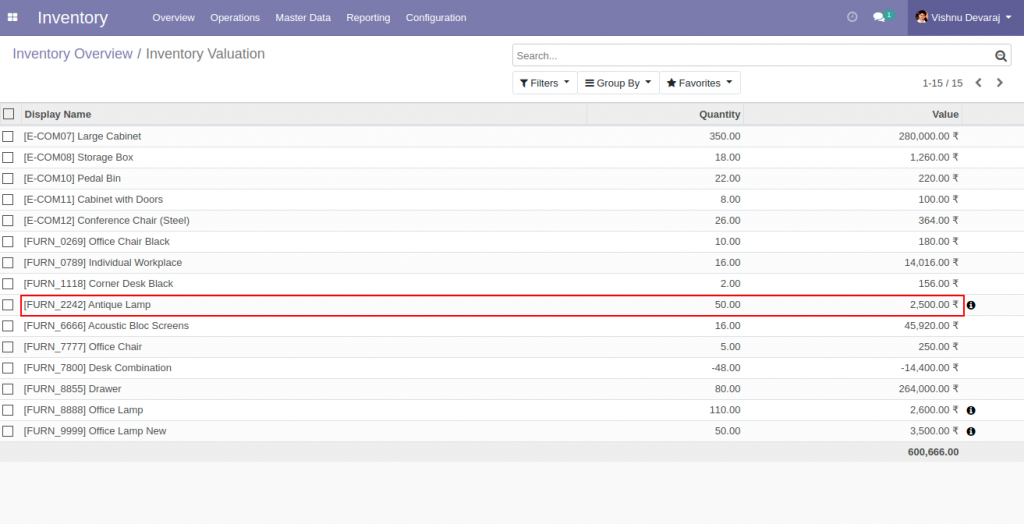
Inventory Valuation of the product shows current inventory value and Quantity. The value is supposed to be same as the balance of the account, ‘Stock In Trade’
Cost of goods sold (COGS) = Starting inventory value + Purchases – Closing inventory value
After the first round sales,
Starting inventory value = 0
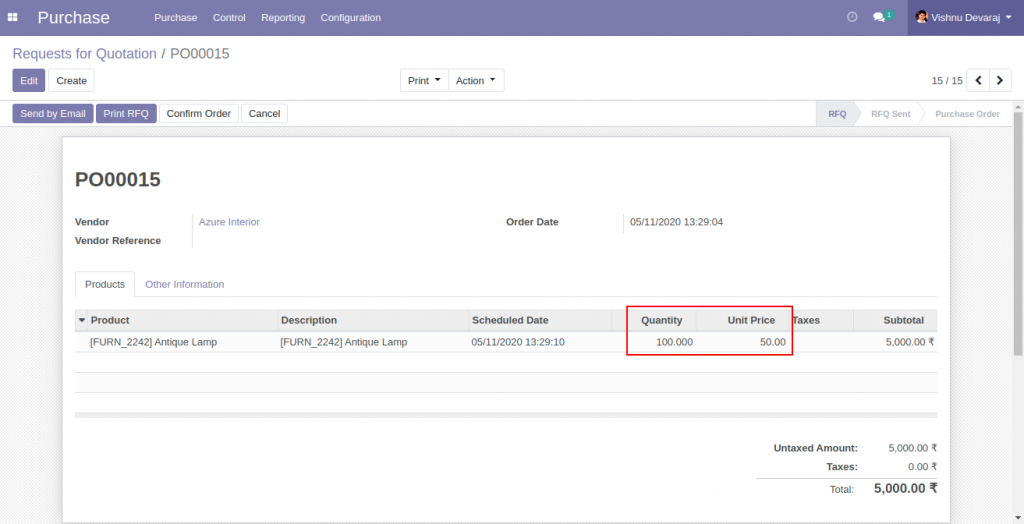
Purchases = 5,000
Closing inventory value = 2500
COGS = 0 + 5000 – 2500 = 2,500Second Round of Sales Process
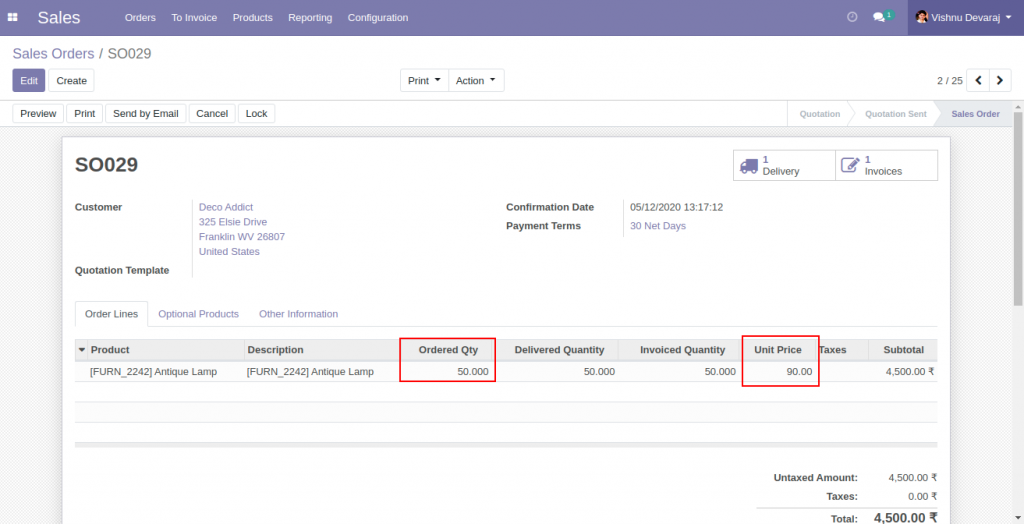
Another sales order is created to move out the remaining 50 units of the product in inventory at a sales price of 90
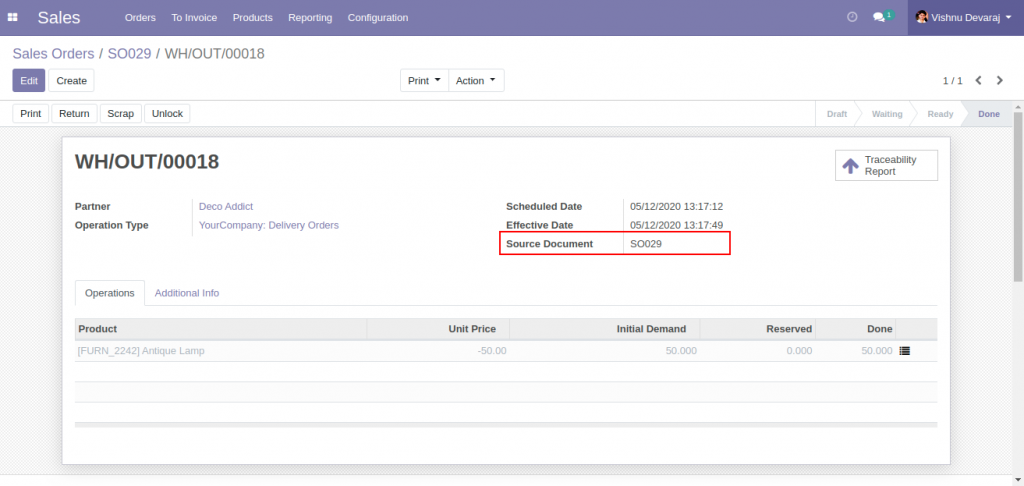
50 Units are delivered from stock. From the lot into which 100 units were received, and which contains only 50 more units. The lot would be empty after the delivery.
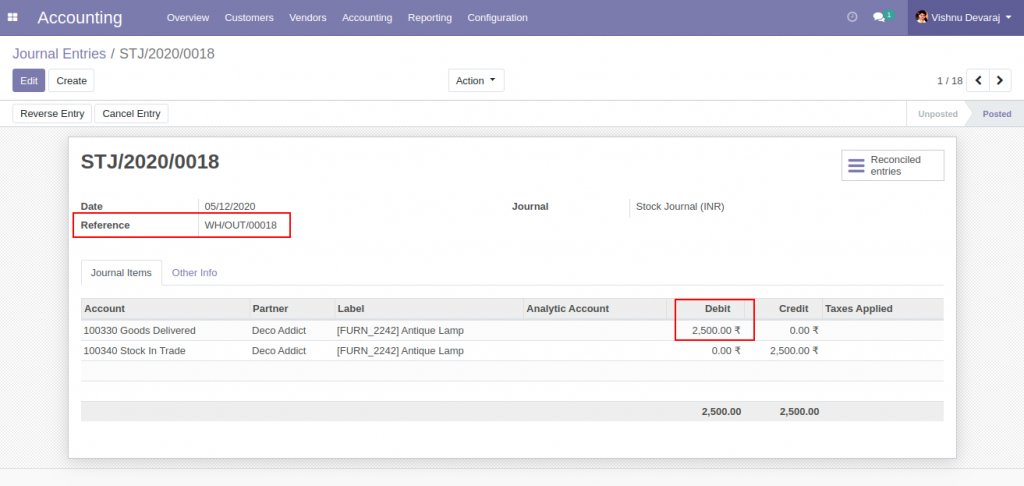
Stock Journal Entries ( Stock Account moves ) are created according to the inventory cost of the products delivered. The inventory cost of a single unit of the product is 50, based on the only one receipt of 100 units, at a cost of 50. Here, the cost associated with sales is again 2,500 (50*50), which is going to be the cost of goods sold.
Sales Invoice is generated and validated. 4,500 is the Invoice total (no taxes). 50 units invoiced at a sales price of 90.
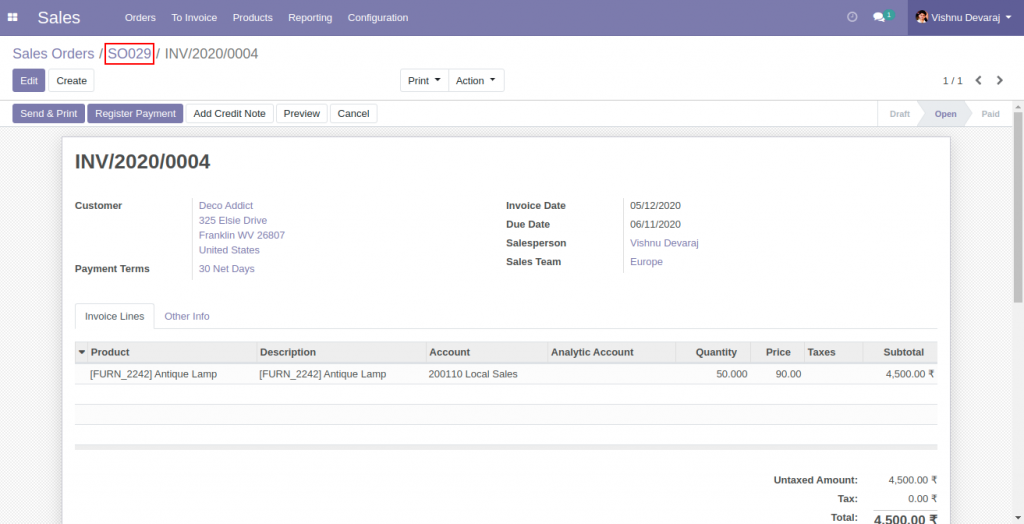
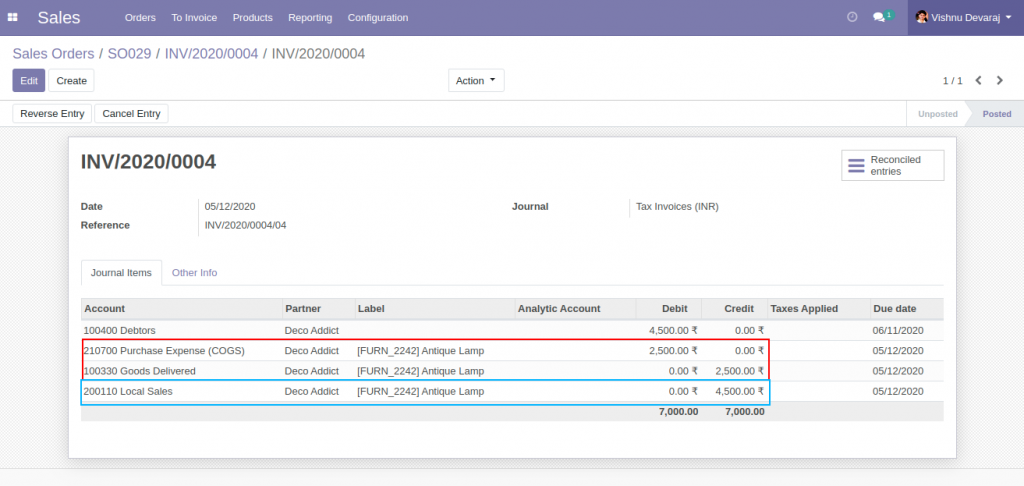
The account move associated with the invoice explains
- Income Account (Local Sales) is credited with sales value of 4,500
- Receivable Account ( Debtors ) is debited with sales value of 4,500
- Expense Account ( Purchase expense (COGS) ) is debited with Inventory value – 2500
- The Asset Account ( Goods Delivered ) is credited with Inventory Value – 2500
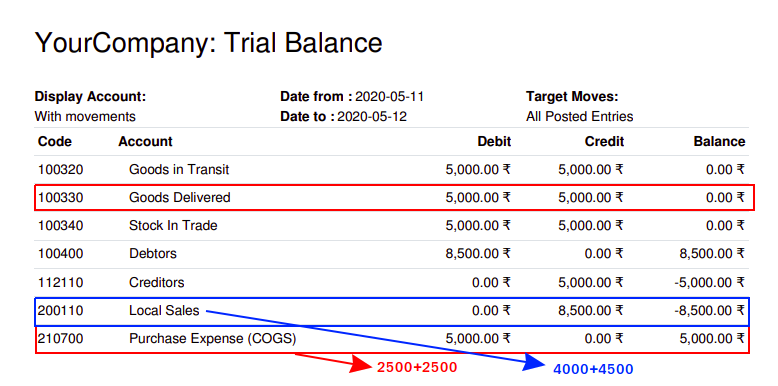
The Trial Balance report shows details of all transactions, which include one Purchase and two sales Processes..
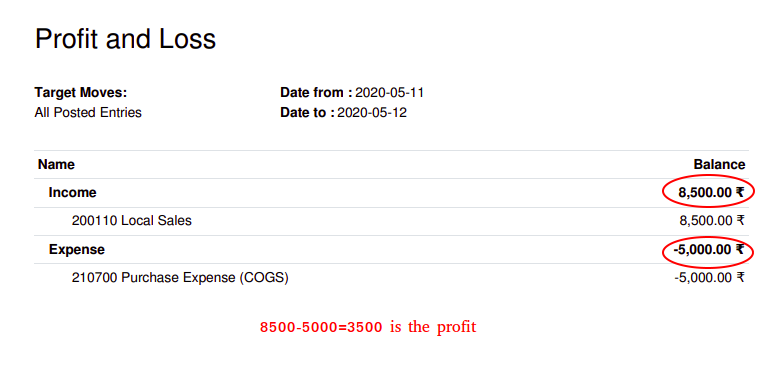
Profit and Loss report again shows how COGS can be used in Profit calculation. The Profit is based on one Purchase and two sales processes.
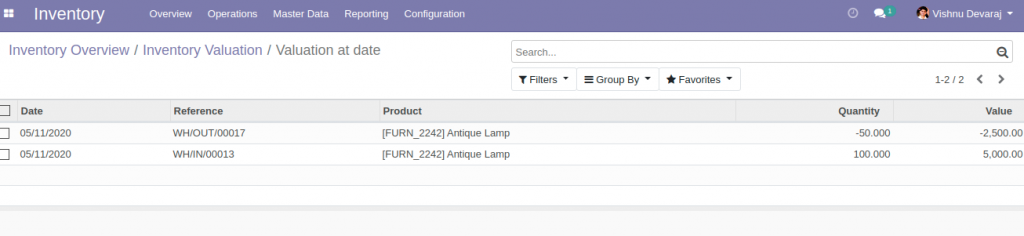
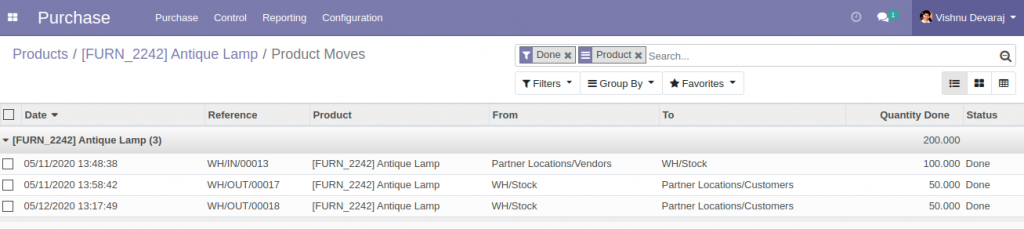
Inventory valuation report won’t show any entries corresponding to the product since the stock is zero. 100 units in and 100 units out. The Quantity On Hand is zero
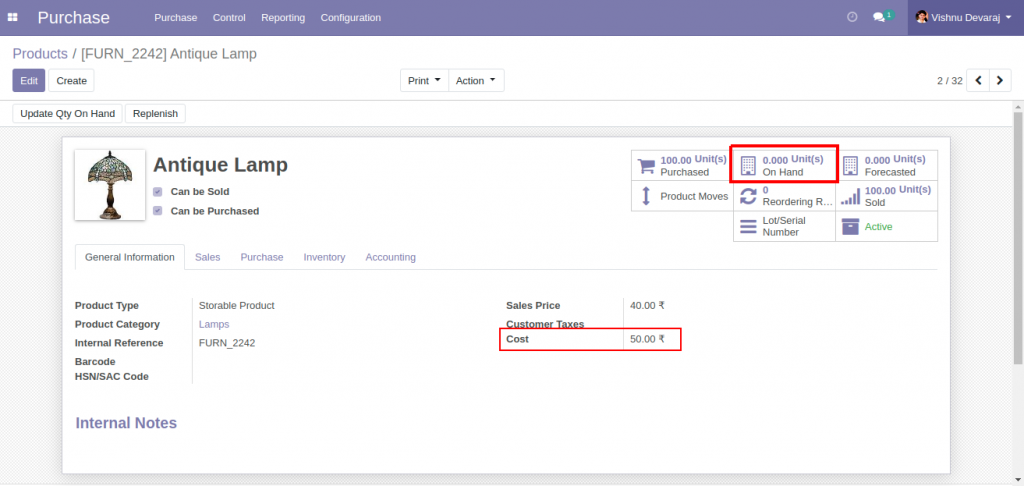
The product moves explains zero Units On Hand.
Cost of goods sold (COGS) = Starting inventory value + Purchases – Closing inventory value
After the second round sales,
Starting inventory value = 0
Purchases = 5000
Closing inventory value = 0
COGS = 0 + 5000 – 0 = 5,000
Video demonstration
Official Member Of:







All Contents © Copyright. BroadTech IT Solutions 2026. All Rights Reserved.